 Podcast StudioSan Antonio
Your Podcast Is Headed to the Living Room. Here's How to Make It TV-Ready
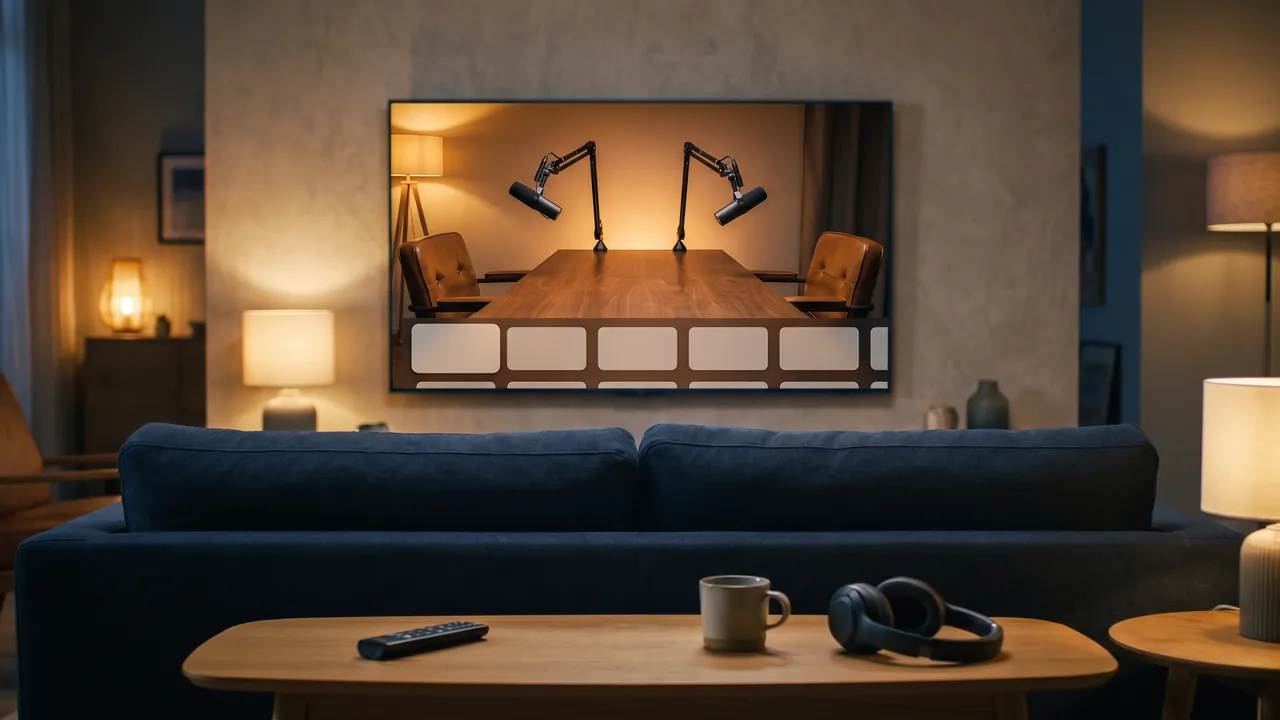
For most of its history, a podcast was something you heard through earbuds. That's changing fast. Apple is putting video podcasts inside the Apple TV app, YouTube is counting the people watching together on TVs, and the biggest shows are already treating each episode like a TV production. Here's what Apple announced, what it means for a business show, and a practical checklist for getting your episodes ready for the living room.
The news
What Apple Announced
On November 16, 2026, Apple said video podcasts are coming to the Apple TV app, with developer testing starting that day. Apple's own numbers explain why:
Here's what's been reported so far:
- A podcast section in the Apple TV app. Podnews describes a dedicated podcast rail in the app, and video versions of Apple Podcasts shows appear there automatically.
- Synced playback. Start an episode in Apple Podcasts on your phone and pick it up on the TV, or the reverse. Apple told The New York Times that over 35% of video podcast users switch between watching and listening in a given month, as reported by Engadget.
- Free, with no Apple TV subscription. The podcast section doesn't require one. Subscriber-only podcasts won't play in the Apple TV app at first.
- Lots of devices. The Apple TV app runs on Apple TV boxes, iPhone, iPad and Mac, and on many smart TVs, Roku players, game consoles and Google TV devices.
- Timing. The first countries are the U.S., U.K., Canada, Australia and Mexico. Apple hasn't announced a public release date. Podnews spotted the feature in Apple's 27.3 developer betas and expects it to arrive in time for Christmas, based on Apple's usual December updates.
"Top podcasts that introduced video saw their total show audience grow by more than 20% on average."Apple, as reported by Podnews, November 16, 2026
The bigger shift
It's Not Just Apple. Podcasts Are Moving to the TV
Apple's move is the newest sign of a trend that's been building all year.
- YouTube now estimates "co-views," the extra people watching a video together on a TV, and adds them to public view counts for new TV views. It says this doesn't change ad revenue or Partner Program eligibility.
- YouTube ranks first as the platform U.S. weekly podcast consumers use most. Spotify is second at 17% and Apple Podcasts third at 9%.
- Apple added HTTP Live Streaming (HLS) video to the Podcasts app earlier this year, and Megaphone added HLS video support in November. Podnews says the top 10 podcast hosts now offer video or a path to it.
- Video podcasts get their own section in an app that Apple says reaches over a billion screens.
For a business show, the takeaway is simple. Your episodes will increasingly be watched the way people watch TV: on a big screen, from across a room, sometimes by more than one person. A podcast that's recorded on camera is already halfway there. The rest is production choices that hold up at that size.
Phone vs. TV
What Changes When Your Show Is on a 65-Inch Screen
On a phone, small problems disappear. On a TV, they get bigger along with everything else. Here's what shifts:
| Element | On a phone | On a TV |
|---|---|---|
| Picture | A single webcam angle is tolerable | Soft focus, noise and a static shot look amateur fast. Multiple sharp angles hold attention. |
| Framing | Tight faces fill the screen | Wide shots carry the room. Mix wide, two-shot and close angles. |
| Background | Barely visible | Clutter, bare walls and bright windows are obvious. Depth and practical lights look intentional. |
| Sound | Earbuds hide room echo | TV speakers and soundbars expose echo, hiss and uneven levels. Dialogue has to be clean and consistent. |
| Artwork | Seen up close | Seen from about ten feet away. Small text becomes unreadable. |
| Viewing | One person, often multitasking | Often a shared, lean-back experience, more like a TV show |
The checklist
How to Make Your Podcast TV-Ready
Work through these five areas before Apple's public release. Pick a tab.
On a big screen, the camera work is the first thing viewers judge.
Do
- Record in 16:9, in 4K where you can. Cleaner detail survives compression better on large screens.
- Use several angles: a wide shot of the table, a two-shot, and a close shot of each speaker.
- Leave proper headroom, and keep eyelines level with the lens.
Edit for TV
- Cut to whoever is speaking, and return to the wide shot to reset the scene.
- Keep on-screen text large and inside a safe margin from the edges.
Avoid
Publishing one static webcam frame for an hour. It's watchable on a phone and tiring on a TV.
Light is what makes a recording look like a production instead of a video call.
Do
- Use a soft key light on every face, plus fill so shadows don't go muddy.
- Keep color temperature consistent across lights and cameras.
- Add depth: practical lamps, plants or texture behind the speakers.
Check
- Watch a test clip on an actual TV before you publish, not just on a laptop.
- Look for blown-out highlights, flicker and color shifts between angles.
Avoid
Bright windows behind the host and a single overhead light. Both read badly on large screens.
TV speakers and soundbars are less forgiving than earbuds, and the room viewers watch in is rarely quiet.
Do
- Give every speaker their own broadcast microphone in a treated room.
- Master to Apple's loudness target: about -16 LKFS (plus or minus 1 dB), with true peak no higher than -1 dBFS.
- Keep intro music and ad breaks at the same perceived level as the conversation.
Check
- Play the episode through a TV or soundbar at normal volume. Dialogue should be clear without reaching for the remote.
Avoid
Laptop or camera microphones. Echo and room noise are much more obvious through TV speakers.
On a TV, viewers choose from rows of artwork viewed from across the room.
Do
- Use show and episode artwork at 3000 x 3000 pixels, in PNG or JPG with no transparency, as Apple specifies.
- Keep text on artwork short and big: the show name and maybe three words.
- Write episode titles that say what the episode is about, not just "Episode 42."
Add
- Chapters, so viewers can skip to the part they want with a remote.
- A clear description with guest names and topics in the first sentence.
Avoid
Busy artwork with small type. Test it at thumbnail size from across a room.
Shows with video in Apple Podcasts are the ones that appear in the Apple TV app. That depends on your host.
Confirm
- Whether your podcast host supports HLS video for Apple Podcasts. Acast, ART19, Omny Studio, Simplecast and Megaphone have announced support, and Podnews says the top 10 hosts offer video or an upgrade path.
- That the video is attached to the same show and feed as your audio, so listeners and viewers stay in one place.
Keep
- Full episodes on YouTube as well. YouTube remains the top platform for U.S. weekly podcast consumers.
- Your audio feed for people who listen in the car or at the gym.
Note
Subscriber-only episodes won't play in the Apple TV app at launch. Keep free episodes available if TV reach matters to you.
For sponsors
What TV Viewing Means for Sponsorships
More living-room viewing is good news for sponsors. A host-read message on a TV screen is closer to a TV spot than a pre-roll ad. It also makes the numbers harder to compare:
- YouTube views now include estimated co-viewers on TVs. That raises public view counts, but YouTube says it doesn't change ad revenue. Sponsors should ask for engaged views and watch time, not just the public counter. Our guide to engaged views for podcast media kits explains what to ask for.
- Ask where the audience watches. A breakdown by device (TV, mobile, desktop) shows how much of a show's audience is in the living room.
- Make the read look good on camera. If it's going on a big screen, the product, the host and the set all need to look the part.
Where we come in
Recording a TV-Ready Show in San Antonio
Everything on that checklist is built into our two studios at I-10 and 410. Each session is recorded on up to five 4K cameras with Shure SM7dB microphones in acoustic-treated, professionally lit rooms, for solo hosts up to six people. You leave with an edited 16:9 episode ready for Apple Podcasts, YouTube and the Apple TV app, plus the audio and short clips for social. If you're new to video, start with what a video podcast is and why it matters, or read how we compare iPhone setups and studio cameras.
Keep reading
Related Guides From the Studio
Frequently Asked Questions
Can you watch video podcasts in the Apple TV app?
Apple announced on November 16, 2026 that video podcasts are coming to the Apple TV app, with a dedicated podcast section and playback synced with Apple Podcasts. Developer testing began that day. Apple hasn't announced a public release date; Podnews expects it around Christmas with Apple's 27.3 software updates. It starts in the U.S., U.K., Canada, Australia and Mexico.
Do I need an Apple TV+ subscription to watch podcasts in the Apple TV app?
No. The podcast section of the Apple TV app is free and doesn't require an Apple TV subscription. Subscriber-only podcasts won't play in the Apple TV app at launch.
How do I get my podcast into the Apple TV app?
Publish video to Apple Podcasts. Video versions of Apple Podcasts shows appear in the Apple TV app automatically. Your podcast host needs to support HLS video for Apple Podcasts; Acast, ART19, Omny Studio, Simplecast and Megaphone have announced support, and Podnews reports that the top 10 hosts offer video or an upgrade path.
Does adding video grow a podcast's audience?
Apple says top podcasts that introduced video saw their total show audience grow by more than 20% on average. It also says the number of shows publishing video more than doubled in the three months before November 2026, and its video episode catalog nearly tripled.
What are YouTube co-views?
Co-views are YouTube's estimate of the additional people watching a video together on a TV. YouTube adds them to public view counts for new TV views on long-form videos, Shorts and live streams. YouTube says co-views don't affect a creator's ad revenue or Partner Program eligibility.
What loudness should a podcast be mastered to?
Apple recommends an overall loudness of about -16 LKFS, with a tolerance of plus or minus 1 dB, and a true peak that doesn't exceed -1 dBFS, measured using ITU-R BS.1770. Consistent levels matter even more when episodes play through TV speakers and soundbars.
How do I make a video podcast look good on a TV?
Record in 16:9, ideally in 4K, with several camera angles. Light every face with a soft key light, keep color consistent and add depth behind the speakers. Give each person their own broadcast microphone, master to about -16 LKFS, use large readable artwork and add chapters. Then watch a test clip on an actual TV before publishing.
Made for the Big Screen
Record a Show That Looks Like TV
Bring your expertise and your guests. We'll record the conversation on five 4K cameras with broadcast microphones, then deliver the full video episode, the audio and the clips, ready for Apple Podcasts, the Apple TV app, YouTube and Spotify.
Sources
- Podnews: Breaking: Apple TV to get video podcasts (Nov 16, 2026)
- 9to5Mac: Video podcasts coming soon to Apple TV and other devices (Nov 16, 2026)
- Engadget: Apple is making a bigger push into video podcasts (Nov 16, 2026)
- TheWrap: Apple expands video podcasts to TV in challenge to YouTube, Spotify (Nov 16, 2026)
- Mediaweek: YouTube has found a new way to inflate view counts (Nov 18, 2026)
- PPC Land: AdsWizz puts audio ads with banners into Apple Podcasts video episodes (Nov 4, 2026)
- Barrett Media: YouTube keeps top spot for most-used sources weekly for podcasts (Edison Research Q3 2026, Oct 8, 2026)
- Apple Podcasts for Creators: Audio requirements
- Apple Podcasts for Creators: Show cover artwork